How to set different forecolor for positive and negative numbers in WinForms DoubleTextBox?
Foreground color
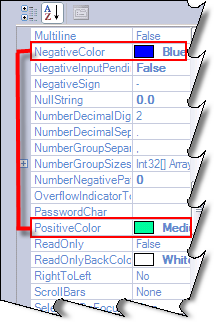
Double TextBox allows us to specify fore colors through PositiveColor and NegativeColor properties.
C#
this.doubleTextBox1.PositiveColor = System.Drawing.Color.MediumSpringGreen;
this.doubleTextBox1.NegativeColor =System.Drawing.Color.Blue;
VB
Private Me.doubleTextBox1.PositiveColor = System.Drawing.Color.MediumSpringGreen
Private Me.doubleTextBox1.NegativeColor =System.Drawing.Color.Blue